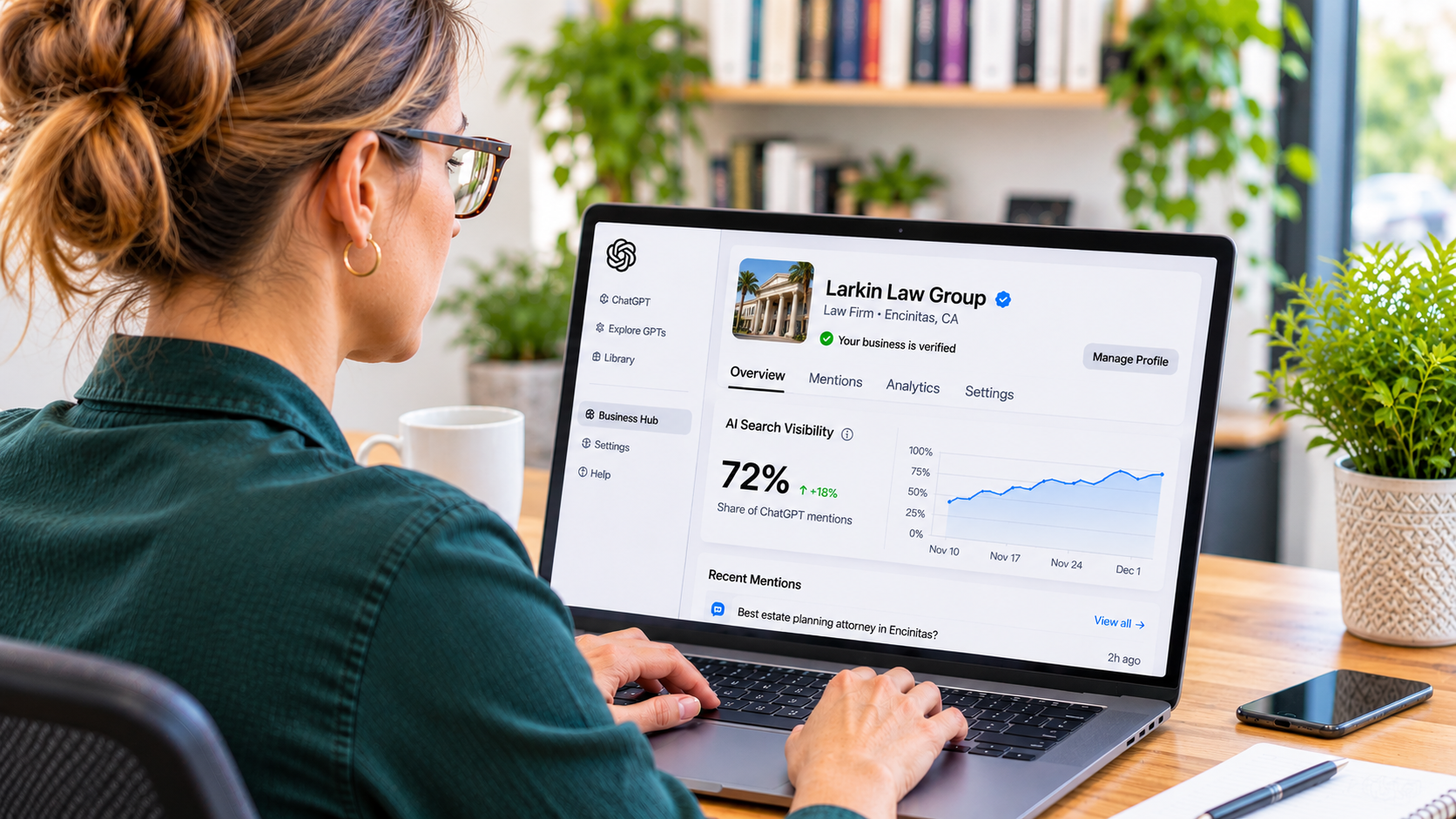
For years, what ChatGPT said about your business was mostly a guessing game. You could run a few prompts, pay for a third-party tracking tool, or just hope the information out there was accurate. That changed on November 10, 2026, when OpenAI launched Businesses in ChatGPT in beta. For the first time, business owners can claim their profile inside ChatGPT, keep their information up to date, and see real data on how often ChatGPT mentions them.
The short answer: To claim your business in ChatGPT, sign in to ChatGPT and open Business Hub, search for your business, verify you're authorized to manage it, and complete an identity check. Claiming is free as of launch, and once you're verified you can update your details and see how often ChatGPT mentions you.
Here's what launched, who can use it, and how to claim your business step by step.
What Is Businesses in ChatGPT?
Businesses in ChatGPT is OpenAI's new program for businesses to manage how they show up in ChatGPT. The center of it is a dashboard called Business Hub, where you claim your business, manage your information, and see insights on how people engage with you. OpenAI says ChatGPT is used by about 1.2 billion people every week, so this is a big audience to have a say in.
One quick note on the name, because it's confusing. "ChatGPT Business" is OpenAI's existing workplace subscription for teams. "Businesses in ChatGPT" is this new listings program. They are different products with nearly identical names, and you don't need the paid subscription to claim your business.
What You Get When You Claim Your Business
Control Over Your Business Details
Once your claim is verified, you can update key details about your business that ChatGPT may use when answering questions about you. Think of it like owning your Google Business Profile, but for ChatGPT. Verified profiles can also display a checkmark showing the profile is managed by the actual business.
Mentions, Website Clicks, and Discovery Topics
This is the part that matters most for local businesses. Business Hub shows you:
Mentions: how often ChatGPT mentions your business in its answers
Website clicks: how many times people clicked links to your website from ChatGPT
Discovery topics: what people are generally talking about when ChatGPT uses your website as a source
The dashboard offers 7-day and 28-day views, so you can watch trends over time.
Product Feeds and Business Agents
Verified businesses can also add product feeds with pricing and availability, and some can build a Business Agent, a branded AI assistant that answers customer questions inside ChatGPT. For now, Business Agents are limited to eligible ecommerce and online service businesses in the United States. If you run a plumbing company, a law firm, or a restaurant, the profile and insights are the parts that apply to you today.
Why This Matters for Local Businesses
Here's the big deal. Until now, nobody had first-party data from ChatGPT. Most AI visibility tools ask ChatGPT a batch of test questions and see who comes up. That's useful, but it's an estimate.
Business Hub numbers come from actual ChatGPT usage. For the first time, you can see whether ChatGPT is talking about your business and whether those mentions are sending people to your website.
If you've been hearing terms like AIO and GEO and wondering whether any of it actually works, this is the closest thing yet to a scoreboard. (If those acronyms are new to you, we broke them down in AIO vs GEO: What the AI Search Acronyms Actually Mean.)
Who Can Claim a Business in ChatGPT?
OpenAI says that "any eligible business located where ChatGPT is available" can claim through Business Hub. In practice, whether you qualify comes down to what kind of business you run, where you're based, and whether you pass OpenAI's checks. You also have to be the owner or someone the owner has authorized to act for the business.
There's one restriction local businesses should know about. If you run a brick-and-mortar store or a restaurant, you can't create a new listing right now. Your business has to already exist in ChatGPT, and it has to be in the US. It's also a beta, so expect some bumps. At least one business was placed on a waitlist on launch day instead of getting through.
How to Claim Your Business in ChatGPT, Step by Step
Step 1: Open Business Hub
Sign in to ChatGPT and go to Business Hub. Use an account your business controls, not a personal account tied to an employee who might leave. Whoever owns that login owns access to your profile.
Step 2: Search for and Select Your Business
Search your business name. Matching businesses come up with their addresses, so you can tell which one is yours. Make sure you select the right location, especially if you have more than one or share a name with another business.
Step 3: Verify You're Authorized to Manage It
Next, OpenAI wants proof the business is actually yours. You can confirm it through your business phone line or through your website's domain settings. The phone option contacts your main business number by text or call. The domain option has you add a DNS record. If you go the phone route, make sure you can answer the number listed on your profile. Heads up: some VoIP business numbers may not be supported for text verification. If you go the DNS route, you'll need access to wherever your domain is managed, or someone who has it.
What happened when I claimed ours: I tried the text option first, and Business Hub told me that type of number wasn't supported for verification. My guess is it's because our business line runs through Quo, a VoIP phone service I've used since I started North County Digital. Google and every other platform have verified that number without a problem. So I switched to DNS. One tip: DNS changes can take a while to update, so I set the record's refresh time (TTL) to 5 minutes and waited it out. It took a little extra effort, but it was worth it. If your business line runs through a VoIP service, have your DNS access ready just in case.
Step 4: Wait for OpenAI's Review
After you verify, your claim goes into review, and OpenAI emails you with the decision. You can withdraw the claim while it's under review if you need to.
Step 5: Verify Your Identity
Even after your claim is approved, there's one more step. You'll need to confirm who you are with a government-issued ID, which OpenAI handles through a verification service called Persona. Until that's done, you can't edit your profile or see your numbers.
Step 6: Update Your Business Details
Once you're fully verified, review everything on your profile and correct anything that's outdated. Edits aren't instant. OpenAI checks each change before it goes live, so give it some time.
What the Insights Don't Tell You
The data is a big step forward, but it has real limits.
You won't see the actual prompts. OpenAI doesn't share people's conversations with businesses, so discovery topics are grouped themes, not the exact questions people asked.
A click isn't a visit. Business Hub counts when someone clicks a link to your site, and OpenAI is upfront that this doesn't prove they landed on your site or became a lead. Your Google Analytics data is still where you confirm actual traffic and leads.
Smaller businesses may see nothing at first. Insights only appear once there are enough conversations to meet OpenAI's thresholds, and OpenAI hasn't said what those thresholds are. A blank figure can also mean data is still being collected. An empty dashboard doesn't necessarily mean ChatGPT never mentions you.
A mention means something specific for local businesses. For local businesses, a mention counts when ChatGPT shows a result for your location. Online businesses are measured differently, so keep that in mind before comparing your numbers to anyone else's.
Claiming isn't a ranking boost. OpenAI hasn't said that claiming your profile changes how often you're mentioned. Accurate information gives you better odds of being described correctly, but it isn't a guarantee of more visibility.
Your Profile Is Only as Good as What's Behind It
Claiming your business in ChatGPT is worth doing, but it's one piece. When ChatGPT answers a question about local businesses, it still pulls from what's out on the web: your website, your business listings, and your reviews.
That's why consistency matters. If your business name, address, phone number, and services don't match across your website, Google Business Profile, Yelp, and other directories, ChatGPT has mixed signals to work from. Yelp, for example, now licenses its data directly to ChatGPT, so your Yelp profile is part of the picture whether you're paying attention to it or not.
The businesses that get the most out of Business Hub will be the ones that already have a clear website, consistent listings, and steady reviews. Business Hub gives you a way to measure it. The work behind it is what moves the numbers. We covered that groundwork in more detail in How Local Businesses Can Show Up in AI Search Results.
ChatGPT Business Hub FAQs
Is claiming your business in ChatGPT free?
Yes, as of launch. OpenAI's pages mention no fee for claiming a business or publishing a Business Agent. Businesses can pay to sponsor a Business Agent through ChatGPT Ads, but claiming and managing your profile does not cost anything.
What's the difference between ChatGPT Business and Businesses in ChatGPT?
ChatGPT Business is OpenAI's paid workplace subscription that gives teams a shared ChatGPT workspace. Businesses in ChatGPT is a separate program that lets business owners claim and manage their profile in ChatGPT through Business Hub. You do not need a ChatGPT Business subscription to claim your business.
Can I claim my business in ChatGPT if it isn't listed?
It depends on your business type. The claim flow lets you create a new entry if your business doesn't appear in the search. Brick-and-mortar stores and restaurants are the exception for now. They have to claim a US listing that's already in ChatGPT.